
ERP for Small Businesses: Systems, Costs and Selection Guide (2026)
Real euro pricing, top systems, selection steps, timelines and German GoBD rules.
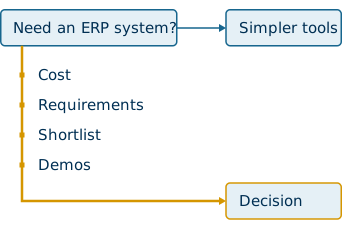
ERP for small businesses is an integrated software system that runs finance, inventory, sales and operations from one database, giving a company one set of numbers instead of six spreadsheets. Enterprise Resource Planning stopped being an enterprise-only purchase once cloud subscriptions replaced server rooms.
This guide covers what these systems do, what they cost in euros, which platforms fit which company, how the selection and rollout actually run, and which German rules apply before you sign. Every figure here comes from published vendor pricing, adoption research, or delivered implementations.
What is an ERP system for small businesses?
ERP for small businesses centralises accounting, inventory, orders, customers and reporting in one database, so finance and operations read identical figures at the same moment.
Enterprise Resource Planning describes the resource planning layer sitting underneath daily operations. The software stores transactions once, then exposes them to every module that needs them. Data silos disappear because there is only one record.
ERP began in the 1960s as MRP (Material Requirements Planning), then expanded into MRP II for production planning and control. Today the same architecture covers procurement, payroll, projects and consolidation. The scope has changed completely.
Modern platforms use modular architecture. A 10-person company starts with financial management, then adds inventory or CRM later without replacing the core. That single source of truth is what separates an ERP from a folder of connected apps. For a deeper walkthrough of the mechanics, read what is an ERP system and how it works.


Difference from CRM software
CRM manages customer relationships and sales pipelines, while ERP manages internal processes such as ledgers, stock and procurement.
- CRM scope: contacts, opportunities, quotes, campaigns, service history
- ERP scope: general ledger, accounts payable and receivable, inventory, purchasing, payroll
- Overlap: most ERP suites ship a CRM module, so the two run on one database instead of syncing nightly
CRM raises revenue. ERP protects margin.
Difference from merchandise systems
A Warenwirtschaftssystem tracks goods movements and stock levels, while ERP plans every company resource including cash, staff and capacity.
German buyers meet this distinction constantly. Merchandise management answers "where is the stock". ERP answers "what does this order do to our margin, our cash position and our production schedule". Systems such as JTL and Billbee started on the merchandise side, then grew upward into ERP territory.
That distinction decides whether you need a full system at all, which is the next question.
Does a small business really need an ERP system?
ERP for small businesses earns its cost once manual reconciliation between tools consumes more time than the subscription saves, typically above 10 users or multiple sales channels.
78% of companies now run cloud-based ERP, up from 65% in 2023. Adoption moved down-market fast, and the trigger is rarely company size on its own. Complexity drives the decision.
A structured needs assessment prevents an expensive mismatch. Strategic consulting exists precisely because most owners cannot judge their own process debt from the inside.
Warning signs in your current setup
Your current setup has outgrown accounting software once numbers stop matching between systems and month-end stretches past five working days.
Watch for these signals:
- QuickBooks or a similar accounting package holds finance, while stock lives in a separate tool
- Someone rekeys the same order into two systems every day
- Stock counts differ between the shop system and the warehouse
- Nobody produces a current margin figure without a manual export
- Month-end close consumes a full working week
- Growth adds headcount in admin rather than in delivery
The slow close deserves its own diagnosis, covered in how to accelerate month-end close.
Business profiles that benefit most
Companies with multi-step processes, several entities, or high transaction volumes recover ERP costs fastest.
Small manufacturer
Typical trigger: Production scheduling and BOMs
Payback driver: Fewer stockouts, tighter costing
E-commerce seller
Typical trigger: Multiple marketplaces and shops
Payback driver: Automated order and payment matching
Software or SaaS company
Typical trigger: Subscription billing and revenue recognition
Payback driver: Faster, auditable close
Professional services firm
Typical trigger: Project profitability tracking
Payback driver: Utilisation and billing accuracy
Regulated business
Typical trigger: Audit trails and documentation
Payback driver: Reduced compliance effort
Wholesale and distribution
Typical trigger: Multi-location inventory
Payback driver: Lower carrying costs
Two of these profiles carry specific module requirements: NetSuite for software companies covers recurring revenue and deferred schedules, while NetSuite for service companies covers project accounting and resource planning.
Situations that call for simpler tools
Single-location businesses with one revenue stream and under five employees rarely recover ERP implementation costs.
Skip a full suite when:
- Operations run one product line through one channel
- The team numbers a handful of people with no shift handovers
- Budget pressure would starve marketing or hiring
- The company has not yet digitised basic invoicing
A finance-first cloud platform such as iplicit closes the gap between accounting software and full ERP, at a fraction of the change management burden.
Readiness settled, the real objection follows: price.
How much does ERP for small businesses cost?
ERP for small businesses costs 38 € to 200 € per user per month for cloud subscriptions, plus a one-off implementation fee between 5,000 € and 30,000 € depending on scope.
Licence fees mislead buyers because they represent roughly one third of first-year spend. Here is the arithmetic on published figures: 15 users at 125 $ per month equals 22,500 $ in annual licence, against a 10,000 $ minimum implementation fee and internal staff time on top. First-year cost lands near double the subscription.
That ratio is the single most useful number in this guide.


Monthly price per user in euros
Published entry prices for small business ERP systems start at 38 € per user per month and rise to 99 € for full trade or production packages.
SAP Business One
Entry price: from 38 € / user / month
Pricing model: Plus 1,140 € one-off starter fee
weclapp
Entry price: 39 € CRM, 49 € service, 99 € trade
Pricing model: Per user, per month
Sage 100
Entry price: 52 € merchandise, 54 € accounting, 84 € production
Pricing model: Per user, per month
microtech büro+
Entry price: from 99 € / month
Pricing model: Base module, add-ons priced separately
NetSuite
Entry price: from 125 $ / user / month
Pricing model: Plus 10,000 $ minimum implementation
Dynamics 365 Business Central
Entry price: from 175 $ / user / month
Pricing model: Per named user
Xentral
Entry price: from 390 € / month
Pricing model: Package-based, not per user
Billbee
Entry price: from 1 € / month
Pricing model: Priced by monthly order volume
Order-based pricing suits sellers with seasonal peaks. Per-user pricing suits stable teams.
One-off implementation and training costs
Implementation, configuration, data migration and training add 5,000 € to 30,000 € for most small companies.
The fee covers five workstreams:
- Requirements gathering and process mapping
- System configuration and chart of accounts setup
- Data migration from spreadsheets and legacy tools
- Interface build to shop systems, banks or payroll
- Role-based training and go-live support
Vendors quote minimum implementation fees openly: 10,000 $ for NetSuite, 7,000 $ for Intuit Enterprise Suite, 0 $ for Cetec ERP. Ask for the figure in writing before the demo.
Free and open-source alternatives
Free ERP exists as open-source software, with Odoo Community and ERPNext as the two established options, though hosting and support costs remain.
Free covers the licence only. You still pay for:
- Server hosting or managed cloud capacity
- An implementation partner for configuration
- Custom development for country-specific requirements
- Ongoing maintenance and version upgrades
Tally Prime occupies a similar low-cost bracket in markets with statutory compliance needs. Budget-constrained teams often reach a total cost close to a mid-range subscription once these items are counted.
Total cost of ownership over five years
Total cost of ownership combines licences, implementation, support, training and upgrades across the full lifecycle, not just year one.
Model four buckets:
- Subscription: users multiplied by monthly fee multiplied by 60 months
- Implementation: one-off, including data migration and interfaces
- Support and maintenance: annual, often 15% to 20% of licence value
- Change and training: new hires, new modules, process updates
Ongoing operation is where budgets drift. A fixed-scope managed services agreement converts that variable into a predictable line item.
Payback period and return calculation
Payback period for small and midsize companies runs 12 to 18 months, with some implementations returning value inside 6 to 12 months.
Use this ROI formula:
(Annual savings − Annualised TCO) ÷ Annualised TCO × 100
Savings come from measurable sources. Published implementation data shows 15 to 20 fewer hours of weekly data entry and 20% to 30% lower inventory waste after go-live. At 40 € per hour, 15 reclaimed hours weekly equal roughly 31,000 € per year.
Companies that pair the system with process redesign report a 10% higher EBIT margin, an outcome that depends on management consulting rather than software alone.
Cost answered, the next question is what the software must actually do.
Which functions must ERP software for small businesses cover?
ERP software for small businesses must cover financial management, inventory, purchasing, sales and reporting as a minimum, with CRM, payroll and project modules added by industry.
Feature lists run long. Priority runs short: pick the five to seven processes that consume the most hours today.
Core modules every company needs
Core modules cover the general ledger, stock, procurement, sales orders and reporting, which together handle over 80% of daily transactions.
- Financial management: ledgers, AR and AP automation, bank reconciliation, tax handling, multi-currency. See NetSuite Financial Management
- Inventory: real-time stock, multi-location, reorder points, barcode support. See NetSuite Inventory Management
- Purchasing: purchase orders, supplier records, approval workflows
- Sales and CRM: quotes, orders, contact history, service records. See NetSuite CRM
- Reporting: role-based dashboards, KPI views, exportable financial statements
- HR and payroll basics: employee records, time tracking, payroll interface
Mobile access belongs in this list, not in the nice-to-have column.
Industry-specific capabilities
Industry modules handle the processes a generic suite ignores, such as lot traceability, shop floor control or project costing.
Manufacturers need production scheduling and quality tracking, capabilities Epicor, Infor CloudSuite and SYSPRO build into their core. Distributors need warehouse and multi-location logic, addressed by NetSuite for wholesale.
Gartner expects more than half of businesses to run industry-specific platforms by 2028. Vertical fit now outranks feature count.
Interfaces to existing tools
Interfaces connect the ERP to the shop system, CRM, HR platform and bank, preventing the manual rekeying the project was meant to remove.
Standard connections for a German or DACH company:
- Online shops and marketplaces (Shopify, Amazon, eBay)
- Shipping and fulfilment providers
- Banking and payment providers
- CRM, through the HubSpot and NetSuite integration
- HR and payroll, through the Personio to NetSuite integration
Check API documentation quality before signing. Undocumented APIs cost more than missing ones.
Automation and AI features
Automation removes repetitive transaction handling, while AI features flag anomalies and draft entries that a person then approves.
Practical targets include invoice capture, three-way PO matching, bank reconciliation, dunning and month-end journals. One Cloudmaven customer, Qualifyze, previously spent five working days per period on revenue recognition. That process now runs 100% automated.
AI process automation applies the same logic across approvals, while digitize your invoice approval workflow sets out the sequence step by step.
Requirements defined, the shortlist follows.
What are the top ERP systems for small businesses?
The top ERP systems for small businesses in 2026 are NetSuite, Microsoft Dynamics 365 Business Central, Acumatica, Sage, Odoo, Zoho One, SAP and the German cloud suites weclapp and Xentral.
Germany alone offers more than 300 ERP systems. The shortlist below covers the platforms that repeatedly appear in small-company evaluations, with the deciding factor for each. A structured feature-by-feature view sits in AI-native ERP systems compared.
NetSuite
Best fit: Growth, multi-entity, international
Entry price: from 125 $ / user / month
Deployment: Cloud
Dynamics 365 Business Central
Best fit: Microsoft 365 environments
Entry price: from 175 $ / user / month
Deployment: Cloud, on-premise
Acumatica
Best fit: Fluctuating user counts
Entry price: Consumption-based
Deployment: Cloud
Sage 100 / Sage Intacct
Best fit: Finance-led organisations
Entry price: from 52 € / user / month
Deployment: Cloud, desktop
Odoo
Best fit: Cost control, open source
Entry price: Free Community edition
Deployment: Cloud, self-hosted
Zoho One
Best fit: Lowest entry point
Entry price: Per-employee bundle
Deployment: Cloud
SAP S/4HANA Cloud
Best fit: Standardised process discipline
Entry price: Enterprise tier
Deployment: Cloud
weclapp / Xentral
Best fit: German SME and e-commerce
Entry price: from 39 € and 390 €
Deployment: Cloud
NetSuite: growth and multi-entity finance
NetSuite serves companies planning subsidiaries, foreign currencies or fast headcount growth, with over 43,000 customers worldwide.
The suite unifies ERP, CRM, e-commerce and professional services automation on one cloud platform. Multi-subsidiary consolidation and real-time dashboards remove the spreadsheet layer that usually sits between entities. Details on modules and licensing sit on the NetSuite overview.
Dynamics 365 Business Central: Office users
Business Central fits teams already standardised on Outlook, Excel and Teams, priced at 175 $ per user per month.
The application runs on Microsoft Azure, connects natively to Microsoft 365, and extends through Power Platform without blocking upgrades. Implementation typically moves faster than tier-one alternatives. See Microsoft Dynamics 365 Business Central.
Acumatica: consumption-based licensing
Acumatica charges by resource consumption rather than per named user, which suits companies with seasonal or occasional users.
Open APIs, a modern interface and mobile apps support distribution, construction and services businesses. Adding warehouse staff during peak season carries no licence penalty.
Sage 100 and Intacct: finance-led setups
Sage covers two brackets: Sage 100 for German mid-sized operations, Sage Intacct for dimensional financial reporting.
Sage 100 ships DATEV connectivity, cost accounting and graphical resource planning, priced from 52 € per user monthly. Sage Intacct targets CFO-led transformations, with strong reporting depth and audit controls.
Odoo: modular and open-source control
Odoo delivers a modular app suite with a free Community edition and a paid Enterprise edition, keeping total ownership cost low.
Finance, inventory, sales, manufacturing and website apps install individually. Cost-conscious teams accept more configuration work in exchange for control. ERPNext occupies the same open-source bracket.
Zoho One: the lowest entry price
Zoho One bundles finance, CRM, inventory and dozens of business apps under a single per-employee licence, making it the cheapest broad entry point.
Depth trails dedicated ERP suites in manufacturing and multi-entity consolidation. Micro businesses digitising for the first time gain the most.
SAP S/4HANA Cloud: standardised processes
SAP S/4HANA Cloud, Public Edition delivers standardised best-practice processes for companies willing to adapt operations to the system.
Real-time analytics, advanced finance and enterprise-grade controls come pre-configured. SAP Business One remains the smaller-company option, starting at 38 € per user monthly. Portfolio details sit on SAP S/4HANA Cloud, Public Edition.
weclapp and Xentral: German cloud suites
German cloud suites cover local accounting practice, DATEV export and marketplace connectors that international platforms treat as add-ons.
The local landscape runs deeper than two names:
- weclapp: CRM, inventory, project management and accounting from 39 €
- Xentral: logistics and e-commerce operations from 390 € monthly
- Billbee: order processing with 100+ marketplace interfaces
- microtech büro+: modular ERP with financial and payroll packages
- orgaMAX, Myfactory, JTL, Haufe X360: established German SME options
Workday rounds out the list for people-centric companies combining finance with HCM.
Shortlist built, the selection process decides which name survives.
How do you choose the best ERP system for a small business?
Choosing the best ERP system for a small business runs through six steps: deployment decision, requirements, shortlist, demos, contract review and scalability check.
Structure beats intuition here. Companies that skip requirements gathering discover missing functionality after go-live, when changes cost the most.


Cloud, on-premise or hybrid
Cloud deployment suits over 90% of small companies, delivering faster rollout, lower upfront cost and automatic updates.
Cloud
Upfront cost: Low, subscription
Update handling: Vendor-managed
Best for: Most small businesses
On-premise
Upfront cost: High, licence plus hardware
Update handling: Internal IT
Best for: Strict data control requirements
Hybrid
Upfront cost: Medium
Update handling: Split
Best for: Local core, cloud analytics
Gartner expects 90% of companies to adopt at least a hybrid cloud approach by 2027.
Requirements list and vendor shortlist
Requirements gathering documents current workflows and pain points, then converts them into a scored vendor shortlist of three to five candidates.
Run it in this order:
- Map each process end to end and flag every manual touchpoint
- Separate mandatory features from nice-to-have features
- Collect input from finance, operations, sales and warehouse
- Check certifications such as SOC 2, GDPR compliance and GAAP support
- Apply buying-committee scoring so trade-offs stay visible
- Cut the list to three vendors before booking demos
A vendor-neutral ERP evaluation produces this document without a sales agenda attached.
Demos run on your own scenarios
Demos must run your transactions, not the vendor's script, using a real order, a real month-end and a real report.
Ask each vendor to:
- Process one of your actual sales orders end to end
- Close a sample period and produce the statements
- Generate a forecast from your own data
- Show the exact screens a warehouse worker sees daily
A short proof of concept validates data migration and performance before contracts. Ten scripted questions on implementation timeline, first-year costs, migration method, training scope and support response times expose gaps quickly.
Contract terms and data ownership
Contract terms decide the exit cost, so data export rights, price-increase caps and notice periods matter as much as the monthly fee.
Confirm in writing:
- Rights to access and export your data in a usable format
- Annual price increase caps and renewal terms
- Early termination costs and notice periods
- Guaranteed support response times and SLAs
- Which features require additional modules
Vendor lock-in starts in the contract, not in the software.
Room to scale over five years
Scalability determines whether the system survives growth, since many small companies outgrow their first ERP within three to five years.
Test the ceiling before signing: maximum users, transaction throughput, additional legal entities, extra warehouses. Multi-entity and multi-currency capability, delivered by modules such as NetSuite OneWorld, prevents a second migration two years later.
Selection complete, attention shifts to the calendar.
When can a small business be up and running?
Small businesses go live on a cloud ERP within 6 to 16 weeks, with scope and data quality driving the variance far more than company size.
Rollout speed is a planning outcome. Poor master data is the most common cause of delay.
Typical timeline by company size
Timelines run 6 to 8 weeks for a single-entity company on standard processes, and 12 to 16 weeks once multiple entities or interfaces are involved.


The phase-by-phase breakdown sits in our NetSuite implementation process.
Phased rollout versus big bang
Phased rollout activates modules or locations in sequence and lowers risk, while a big-bang launch switches everything at once and delivers benefits sooner.
Most companies now choose phased deployment by module, location or business unit. Finance goes first, operations follow, reporting completes the sequence. Big bang suits small teams with simple processes and a firm cut-off date. Both approaches are handled within implementation services.
Data migration from spreadsheets
Data migration transfers customers, suppliers, items, open transactions and balances, and consumes more project hours than configuration does.
Clean before you move:
- Remove duplicate customer and supplier records
- Standardise item numbers and units of measure
- Reconcile opening balances to the last closed period
- Decide how many years of history to carry across
- Run one full test migration before the live cut-over
Historical data belongs in an archive, not in the new system.
Training and user adoption
Role-based training raises adoption, since each user learns only the transactions their job requires rather than the full application.
Warehouse staff need receiving and picking. Accounting needs the close. Sales needs quotes and order status. Change management turns a technical launch into working practice, supported by structured training rather than a single handover session.
Live systems then need proof they were worth the money.
How do you know the ERP has paid off?
An ERP has paid off once measured process times, error rates and inventory costs improve against figures recorded before go-live.
Most companies never establish that comparison. They feel the improvement without proving it, which weakens the case for the next investment.
Baseline figures to record first
Baseline measurement captures current performance before implementation starts, because those numbers cannot be reconstructed afterwards.
Record these six figures now:
- Days required to close the month
- Hours per week spent on manual data entry
- Order-to-invoice cycle time
- Inventory carrying cost and write-off value
- Invoice error and credit note rate
- Days sales outstanding
KPI baselining takes an afternoon and shapes every later ROI discussion. Structured planning, budgeting and forecasting turns those figures into targets.
Metrics that show real change
Metrics showing real change track time, accuracy and cash, not user counts or login frequency.
Month-end close
Baseline source: Days
Target after 12 months: 50% reduction
Manual data entry
Baseline source: Hours per week
Target after 12 months: 15 to 20 hours reclaimed
Inventory waste
Baseline source: Annual write-offs
Target after 12 months: 20% to 30% reduction
Order accuracy
Baseline source: Credit notes issued
Target after 12 months: Measurable decline
Reporting lead time
Baseline source: Days to management pack
Target after 12 months: Same-day dashboards
Continuous tracking belongs in an Enterprise Performance Management layer rather than in a quarterly spreadsheet.
The first review after go-live
The first review runs after the first fully closed period in the new system, roughly 30 to 60 days post-launch.
Check three things: whether the close ran faster, whether the numbers reconciled without manual adjustment, and where users still work around the system. Financial consolidation and close performance is the clearest early indicator, since it exercises every module at once.
Measurement also exposes the risks worth planning against.
What can go wrong during an ERP project?
ERP projects fail through budget overruns, user resistance, excessive customisation and vendor dependency, and all four are visible early enough to prevent.
Vendor-published content rarely covers this ground. The failure patterns are consistent across company sizes.
Budget overruns after go-live
Budget overruns appear after launch, driven by additional modules, extra users and consulting hours that fell outside the original scope.
Common triggers:
- Modules discovered as necessary only during testing
- Interfaces quoted as standard that require custom work
- Extra training rounds after staff turnover
- Data cleanup billed hourly
Fix the scope in the contract, and price the three most likely additions before signing.
Resistance from the team
Team resistance slows adoption when staff receive a new system without a stated reason for the change.
A family-owned restaurant, a small accounting firm, a manufacturer: the pattern repeats regardless of sector. Service slows for weeks because people revert to old habits. Name the benefit per role, appoint one internal champion, and collect feedback through a structured channel rather than corridor complaints.
Over-customisation and upgrade blocks
Over-customisation blocks upgrades, since every custom modification must be retested and often rebuilt when the vendor releases a new version.
Modern platforms avoid this through extensions, APIs and low-code tools that survive updates. Adapt the process to the software wherever the process holds no competitive advantage. Custom code belongs only where your differentiation lives.
Vendor lock-in and data export
Vendor lock-in restricts your ability to switch systems later, mostly through data formats and integration dependencies rather than contract clauses.
Protect the exit route:
- Confirm full data export in open formats before signing
- Keep integrations in a middleware layer, not hard-coded point to point
- Document every custom field and workflow
- Retain ownership of API credentials and configuration
Middleware such as eUnify keeps connections portable, so replacing one system does not force rebuilding the entire landscape.
German buyers face one further layer before go-live.
Which legal requirements apply in Germany?
German companies must run ERP in line with GoBD record-keeping principles, DSGVO data protection rules, B2B e-invoicing obligations and DATEV compatibility for tax advisers.
International platforms do not ship these capabilities by default. Verify each one during evaluation, not after.
GoBD-compliant bookkeeping records
GoBD requires accounting records to remain complete, unalterable, traceable and available throughout the statutory retention period.
Practical requirements for the system:
- Immutable audit trail on every posting
- Document linkage between invoice, booking and payment
- Retention of books and annual financial statements for 10 years
- Procedural documentation (Verfahrensdokumentation) describing the process
- Machine-readable export for tax audits
Preparation of the annual accounts follows its own rules, set out in annual financial statements in Germany.
DSGVO and server hosting location
DSGVO governs personal data inside the ERP, covering employees, customers and suppliers, with hosting location and processor agreements as the two decision points.
Confirm before signing:
- Where the data physically resides
- Whether the vendor signs an Auftragsverarbeitungsvertrag
- Which certifications the data centre holds
- How deletion and access requests are handled in the system
German providers frequently advertise ISO-certified hosting inside Germany for exactly this reason.
Mandatory e-invoicing for B2B
German B2B e-invoicing obligations require companies to receive structured electronic invoices, with issuing obligations phased in across following years.
Structured formats replace PDF. XRechnung and ZUGFeRD, both built on the EN 16931 standard, are the two accepted routes. Your ERP must generate and read them natively. A PDF attached to an email no longer qualifies as an electronic invoice under the rules.
Check this capability in the demo. Retrofitting it later costs more.
DATEV export for your tax adviser
DATEV compatibility lets your Steuerberater import bookings directly, removing the monthly manual export that German companies otherwise repeat.
Sage 100 ships a DATEV connection natively. International platforms require an interface, delivered through the NetSuite and DATEV integration, which maps accounts and cost centres into the format the adviser already uses.
Compliance handled, the remaining variable is who implements the system.
How can a NetSuite partner support your implementation?
A NetSuite partner sells the licences and delivers the implementation under one contract, giving the company a single accountable party for software, configuration and support.
Cloudmaven AG operates from Olten, Switzerland as a Certified Oracle NetSuite Solution Provider and CFO advisor for SMEs across the EMEA region. The team spans 16+ locations, 30+ countries and 120+ ERP and EPM specialists.
Software vendors sell licences. Partners deliver outcomes.
The full portfolio, covering ERP, EPM, integrations, travel and expense management through Perk, and AI-supported automation, sits under digital solutions.
Evaluation before you sign
Evaluation establishes whether NetSuite, Dynamics 365, iplicit or Lensing fits your processes, before any licence commitment exists.
Cloudmaven runs the requirements workshop, maps processes against system capabilities, and models total cost of ownership across the candidates. Multi-system coverage removes the incentive to recommend one platform regardless of fit.
Implementation and go-live
Implementation covers configuration, data migration, interfaces, testing and go-live support, delivered as a fixed-scope project rather than open-ended consulting.
The Cloudmaven team specialises in complex multi-entity deployments for international companies, exactly the scenario where small firms underestimate effort. Certified consultants handle the finance architecture, from chart of accounts through consolidation logic. Scope and phases are set out under NetSuite implementation.
Support after the project ends
Support continues after go-live through a dedicated customer success team, with 12 hours of daily coverage across time zones.
The service covers user questions, system adjustments, new module activation and release management. Cloudmaven customers report 75% less administrative effort once processes stabilise. Details sit under customer success team and IT support.
Proof from comparable companies
Proof comes from delivered projects: 350+ customers and 600+ projects across manufacturing, retail, services and finance.
Qualifyze reduced revenue recognition from five working days to a fully automated process. Documented outcomes are collected in success stories.
Your next step: from shortlist to decision
ERP for small businesses rewards preparation more than budget, and the companies that document their processes first consistently reach payback faster than those that start with a demo.
Three actions move the decision forward this week:
- Record your six baseline figures, starting with days to close and hours lost to manual entry
- List the five to seven processes that consume the most time, then rank them
- Book vendor demos that run your own order, your own close and your own report
Let our experts advise you without obligation
The right system depends on your entities, your channels and your compliance obligations, not on a ranking. Cloudmaven maps those requirements against NetSuite and the wider portfolio, then delivers the implementation end to end. Contact Cloudmaven to start with an evaluation rather than a licence.